
Scan handwriting
Point the camera at a notebook page. QuickStudy sharpens and boosts contrast before OCR so handwriting comes through cleanly.
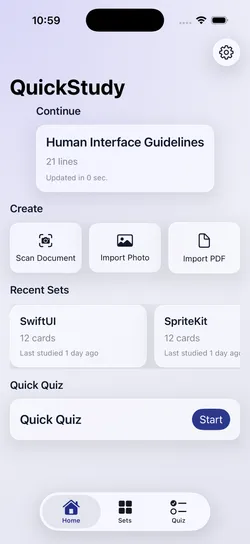
Scan a page, import a PDF, or paste your notes. QuickStudy drafts flashcards on your device, you keep the ones worth studying, then practice and quiz yourself.
A page of messy notes goes in.
A deck you'd actually study comes out.
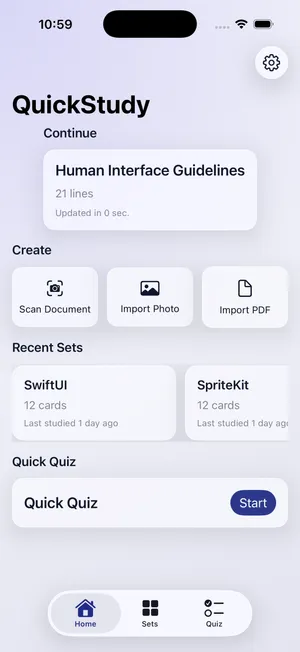
Open the camera on a notebook page, pick a PDF, or paste text. QuickStudy cleans up the OCR output — stray characters, broken lines, odd spacing — before anything is generated.
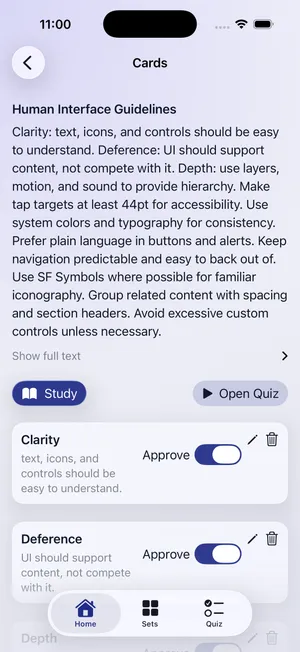
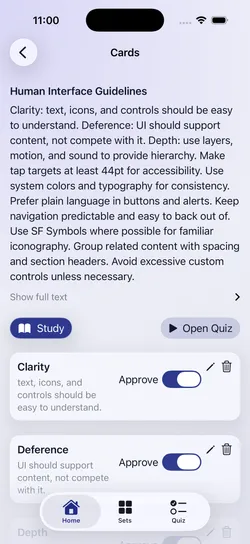
Cards are drafted on your device and land in a review list. Toggle each one on or off. Nothing is saved to a deck until you say so.
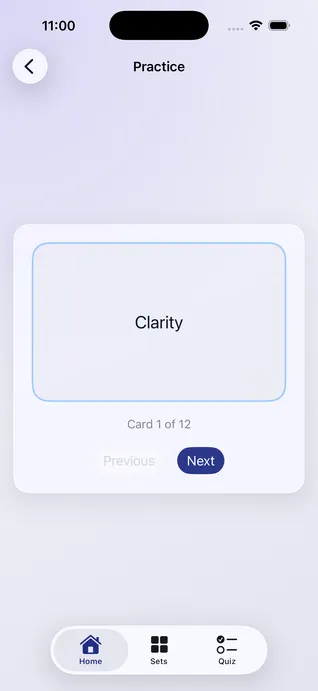
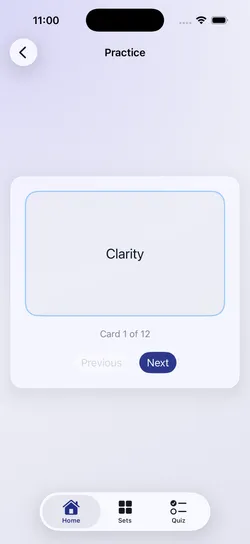
Flip through your deck one card at a time, then switch to a multiple-choice quiz built from the same cards. Wrong answers come back around until you get them.
The AI speeds things up. You stay in control of what ends up in the deck.
Point the camera at a notebook page. QuickStudy sharpens and boosts contrast before OCR so handwriting comes through cleanly.
Lecture slides, textbook chapters, or a block of text from Notes. Anything with words in it can become cards.
Apple Foundation Models turn cleaned-up text into question-and-answer cards. Your notes are never uploaded.
Drafts land in a review list. Keep the good ones, drop the filler, and only what you approve goes into the deck.
A focused loop: read the question, tap to reveal, swipe to move on. No distractions.
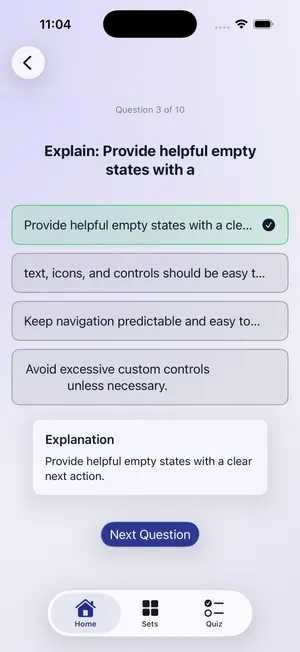
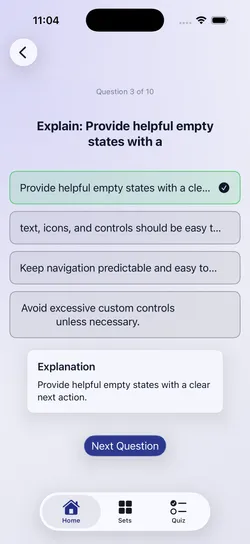
Multiple-choice questions generated from the cards you kept, with wrong answers drawn from your own deck so they're not obvious. Missed questions circle back at the end.
QuickStudy has no server. There's nothing to sign into, nothing to sync, and nothing for anyone else to read.
Read the privacy policyiOS 26 or later on iPhone or iPad. On-device card generation uses Apple Foundation Models, which needs a device that supports Apple Intelligence with Apple Intelligence turned on. On other devices you can still type your own cards or generate them with QuickStudy Pro.
No. Scanning, on-device card generation, practice, quizzes, and streaks all work offline.
You only need a connection for cloud generation (your first free cloud set, or QuickStudy Pro), for your own API key if you add one, and for purchases.
Pages you scan with the camera (including handwritten notes), photos and PDFs, and text you paste in from anywhere. You can also type cards yourself.
No. New cards show up as drafts before anything is saved. Drafts are kept by default: tap a card to edit it, swipe left to remove it, then save the set. Each card shows which page and paragraph it came from, so you can check it against your notes.
Quizzes are multiple choice, built from your saved cards. Each question includes a “Why?” explanation tied to your source. Cards you miss come back sooner, and cards you know come back less often.
Your streak counts the days you finish a session. You earn a Streak Freeze for every seven days you study, and one is used automatically when you miss a day.
No. There is no sign-up, no login, and no profile. Open the app and start scanning.

Requires iOS 26 or later on iPhone or iPad.
